
Uber Eats: Food and Grocery
Uber Technologies, Inc.Food & Drink
4.6383.85K Reviews
- Version
- Varies With Device
- Installs
- 100.00M
- Age Rating
- Everyone
Screenshots

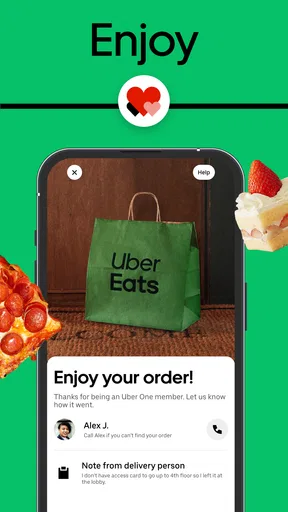
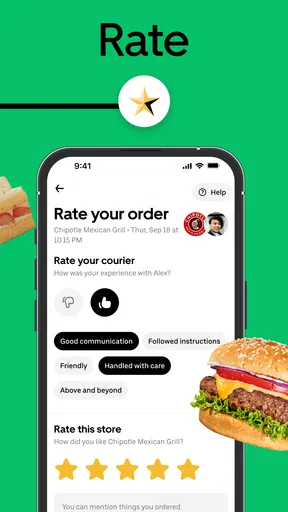
Our Review of Uber Eats: Food and Grocery
 Analysis by Appyee
Sharing a delivery app can make a busy household feel more organized, but it also works best when everyone knows whose order they are placing. I find Uber Eats: Food and Grocery most useful when one person is coordinating dinner or a small grocery run and the rest of the household can clearly say what they want. It brings restaurant meals and grocery shopping into the same app, which is handy when plans change, though it does not remove the need to check the order carefully before paying.
One household, several appetites
Picture a weekday evening when nobody has time to cook: one person wants a familiar meal, another needs something different, and the kitchen is short on a few basics. Using one app to look at nearby restaurants and grocery stores can simplify that decision. I would decide first whether the priority is a ready-to-eat meal or ingredients for later, then keep the order focused. Switching between those needs is convenient, but it can also make it easier to add extras without noticing how quickly the basket has grown.
For shared ordering, I recommend agreeing on the restaurant or store before building the cart. That small step avoids the familiar back-and-forth of several people browsing separately and expecting one person to reconcile different choices. It also helps whoever places the order check item details, quantities, and any special instructions in one pass. The app can support coordination by bringing options together; the household still has to decide who is ordering and who is responsible for reviewing the final basket.
Keep accounts and orders clear
On a shared phone or tablet, I would avoid treating a signed-in account as a communal household account by default. Before placing an order, check that the correct account and delivery details are active, and make sure the person paying has agreed to the total. This is a practical boundary rather than a feature: shared access can be convenient, but it can also blur who selected an item or authorized a purchase.
If different people have different food preferences, the simplest workflow is often to collect requests first and have one person enter the order. For groceries, that person can confirm sizes and quantities instead of relying on a hurried message such as “get milk.” For restaurant meals, they can check each selection and note custom requests before submitting. I would not assume that a shared device automatically provides separate household profiles or parental controls; clear communication is the safer way to manage who is ordering.
Useful when plans shift, less useful for every shop
The app is a good fit when convenience matters more than personally choosing every item from a shelf. A grocery order can help when you are short on a few essentials, tied up at home, or trying to avoid a separate trip. Restaurant delivery is a natural choice for a late workday or a night when cooking is not realistic. In both cases, checking the available options and the order details before checkout is worth the extra moment.
For a large weekly shop, I would compare the app with shopping in person or using a supermarket’s own service. A physical visit gives you direct control over produce selection and substitutions, while a store’s own ordering process may suit someone who wants to plan a regular, detailed basket. For a small top-up or an unplanned meal, having restaurant and grocery choices together can be more convenient than switching between separate apps. The better option depends on whether you value speed and simplicity or hands-on control.
Who should use it—and who may prefer another option
I would recommend it to people who occasionally need restaurant delivery, a modest grocery order, or both, and who are comfortable making choices through a phone. It can also help a household coordinate an evening meal when one person is willing to place and check the order. It is less suitable for someone who prefers to inspect every grocery item personally, wants to avoid delivery-related costs, or has a strict budget that is easier to manage by shopping in person.
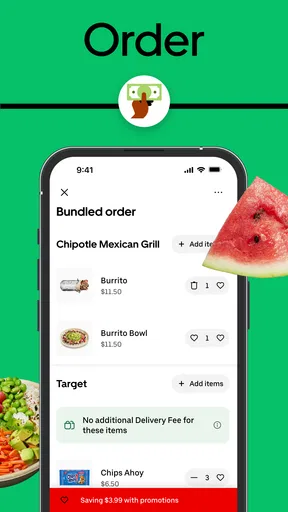
One useful habit is to treat the final review screen as a checklist, not a formality: confirm the address, items, quantities, special instructions, and total before placing the order. When coordinating for others, read the basket back or share the choices before confirming. That reduces avoidable mistakes, especially when several people have contributed requests. If a delivery estimate matters to your schedule, use it as a planning aid rather than arranging an important commitment around an exact arrival time.
Uber Technologies, Inc. developed this free Food & Drink app. It is rated for Everyone, has a 4.6 average from around 7.1 million ratings, and has been installed over 100 million times. The current version is 6.301.10000, and the app first appeared on February 29, 2016. Those figures show that it is widely used, but I would still judge it by whether the restaurants and grocery options available near you fit your needs.
What’s Cooking on Uber Eats?
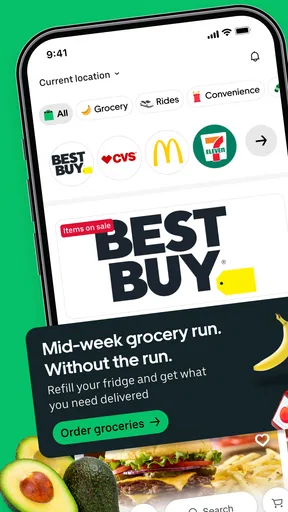
The Uber Eats app isn't just about food delivery anymore; it’s expanded to include grocery delivery too! Whether you’re craving a juicy burger or you need a carton of milk, this app has got you covered. The interface is super intuitive, making it easy to navigate through various restaurants and grocery stores in your area. Just a few taps, and you're all set to enjoy your meal or stock up your pantry.
Easy Navigation and User-Friendly Interface
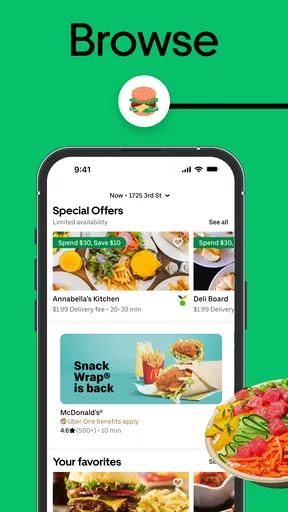
One of the first things you'll notice about the app is how user-friendly it is. The layout is clean with clear categories for restaurants and grocery stores. You can easily search for specific items or browse through trending cuisines. I was impressed by how straightforward it was to customize my order and add special instructions. Plus, the estimated delivery time feature is pretty accurate, helping you plan your meals better.
Wide Range of Options
Uber Eats connects you with a vast array of dining options. From local favorites to big-name chains, there's something for everyone. The grocery section is equally impressive, offering products from well-known stores. And if you’re someone like me who sometimes finds it hard to decide, the ratings and reviews from other users really help in making the right choice.
Seamless Payment and Tracking
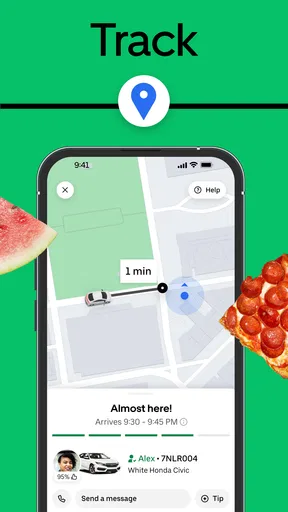
Paying for your order is a breeze with multiple payment options, including credit card, PayPal, and even cash in some areas. Once you place your order, you can track it in real-time, watching as your meal or groceries make their way to you. It’s like having your very own personal delivery driver!
Promotions and Discounts
Who doesn’t love a good deal? Uber Eats frequently offers promotions and discounts, which can make your next meal or grocery run more affordable. Keep an eye out for these deals in the app, as they can save you a decent chunk of change.
Final Thoughts
All in all, Uber Eats: Food and Grocery is a fantastic app that combines the convenience of food and grocery delivery into one seamless experience. Whether you're in the mood for a spontaneous dinner or need to refill your fridge, this app is a reliable companion. So why not give it a try? Your next meal or grocery haul is just a tap away!
Privacy and Permissions
See what permissions an app requests and how it handles your data.
- Contacts
- read your contacts
- Location
- approximate location (network-based), precise location (GPS and network-based)
- Phone
- directly call phone numbers
- Photos/Media/Files
- read the contents of your USB storage, modify or delete the contents of your USB storage
- Storage
- read the contents of your USB storage, modify or delete the contents of your USB storage
- Camera
- take pictures and videos
- Microphone
- record audio
- Wi-Fi connection information
- view Wi-Fi connections
- Other
- view network connections, change network connectivity, full network access, change your audio settings, run at startup, draw over other apps, control vibration, prevent device from sleeping
Verdict
Strengths of Uber Eats: Food and Grocery
- Wide variety of restaurant choices.
- User-friendly interface for easy navigation.
- Timely delivery tracking feature.
- Frequent promotions and discounts.
- Easy reordering of favorite meals.
Limitations of Uber Eats: Food and Grocery
- Service fees can be high.
- Limited delivery options in rural areas.
- Occasional delays during peak times.
- Inconsistent customer service responses.
- Some menu items unavailable for delivery.
Other Releases by Uber Technologies, Inc.
View All
Uber - Request a ride
Maps & Navigation4.7

Uber - Driver: Drive & Deliver
Business4.6

Postmates - Food Delivery
Food & Drink4.5
Similar Picks in This Category
View All
Rappi: Food Delivery, Grocery
Rappi, Inc - Delivery3.5

McDonald’s: Cupons e Delivery
Arcos Dorados4.3

Swiggy: Food Instamart Dineout
Swiggy4.7

Blinkit: Groceries & more
Blinkit4.8

foodpanda: food & groceries
Foodpanda GmbH a subsidiary of Delivery Hero SE4.0

Zomato: Food Delivery & Dining
Zomato4.7
You May Also Like
View All

Frequently Asked Questions
What features does Uber Eats offer to enhance the user experience?
Uber Eats provides a seamless experience with features such as live order tracking, multiple payment options, and the ability to schedule orders in advance. It also offers a wide selection of restaurants and cuisines, catering to diverse tastes and dietary preferences. Users can customize their orders and access exclusive deals and promotions.
Is Uber Eats available in my area, and how can I find out?
Uber Eats is available in many cities worldwide, but its availability depends on your specific location. To check if Uber Eats services your area, simply download the app and enter your address. The app will inform you of service availability and show you a list of nearby restaurants if available.
How does Uber Eats ensure the safety and quality of the food delivered?
Uber Eats prioritizes food safety by partnering with reputable restaurants and implementing strict hygiene standards. Delivery partners are trained to handle food safely. Additionally, the app allows users to rate their delivery experience and report any issues, helping maintain high quality and service standards.
What are the payment options available on Uber Eats, and is it secure?
Uber Eats offers various payment methods, including credit/debit cards, PayPal, and other local payment options. The app employs robust encryption and security measures to protect users' financial information. It also provides contactless payment options, adding an extra layer of safety and convenience.
Can I customize or modify my order once it's placed on Uber Eats?
Yes, Uber Eats allows you to customize your order while placing it. However, once the order is placed, modifications depend on the restaurant's policies. Some restaurants may accommodate changes if contacted immediately. It's advisable to double-check your order details before confirming to avoid any inconvenience.
